
Task Chain
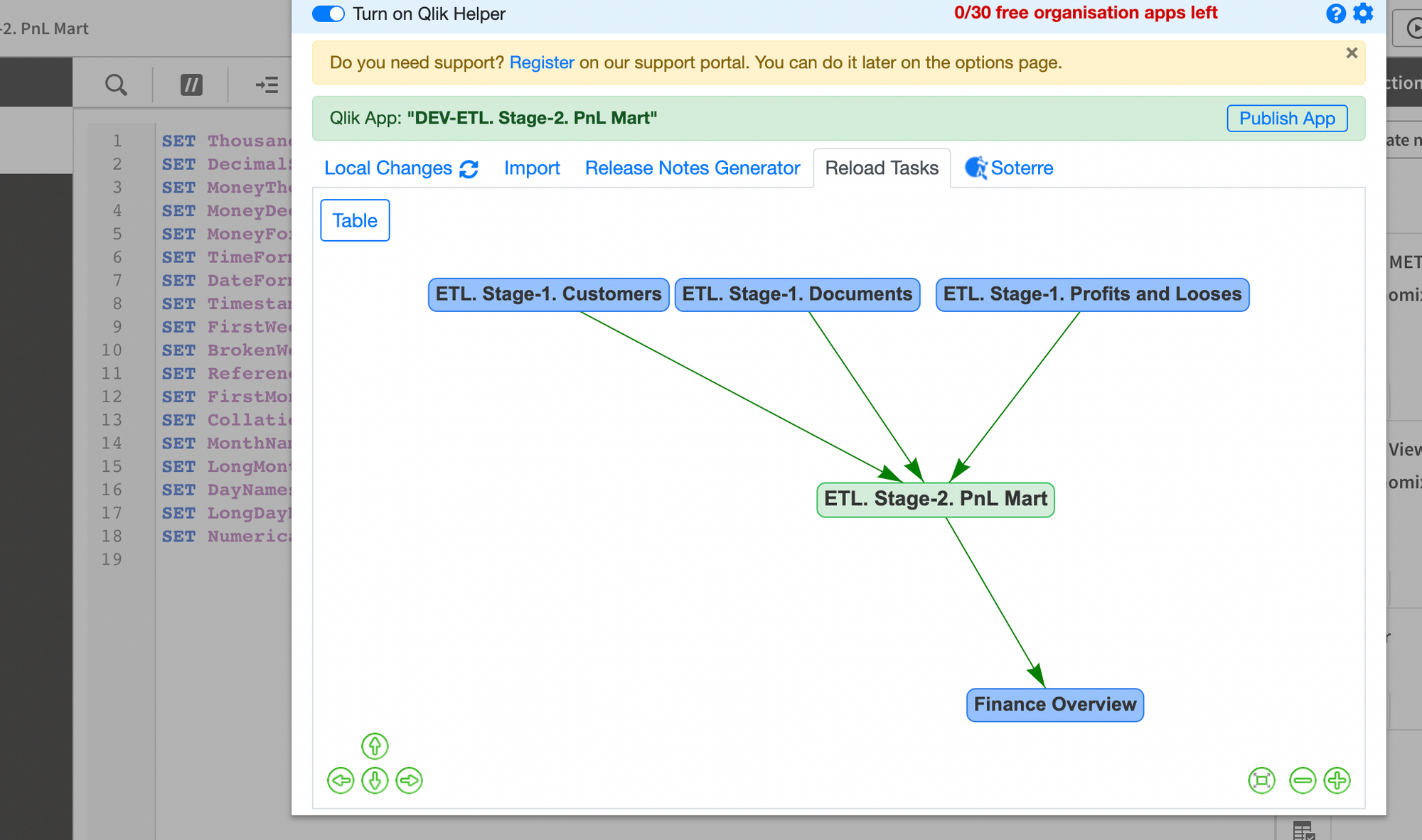
Relative to the current ETL application, the preceding and following tasks flow can be seen in a tree diagram view in the Reload Tasks tab when proceeding to the Data Load Editor.
The link to the app along with the status and execution dates (start time, duration, stop time, and next execution date) are available for each task.
.png)
Info about each task
The current task is highlighted in green in the diagram:
.png)
Current task app: ETL. Stage-2. PnL Mart
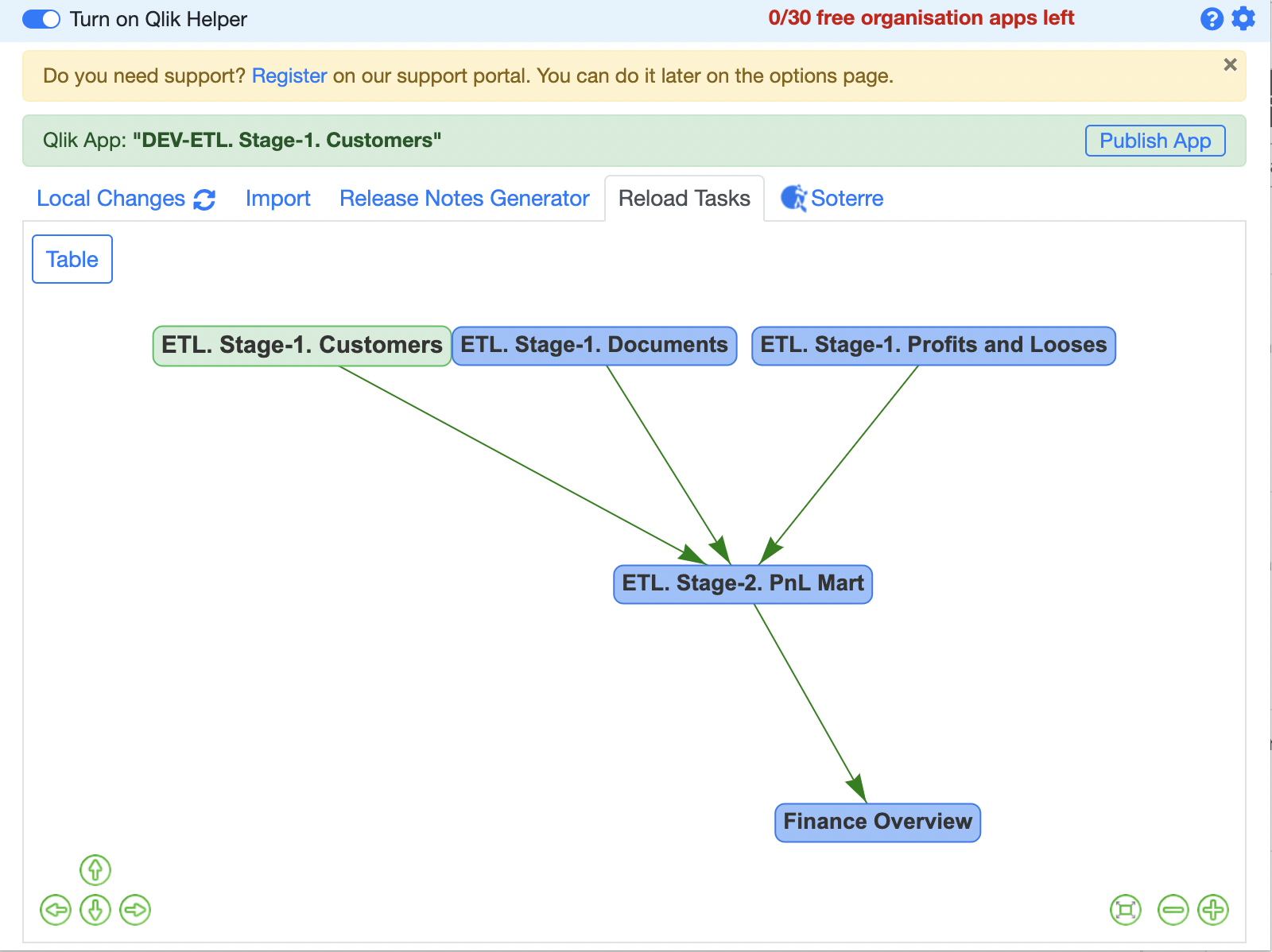
Current task app: ETL. Stage-1. Customers